
Client Portal WordPress Plugin
Build a Professional WordPress Client Portal
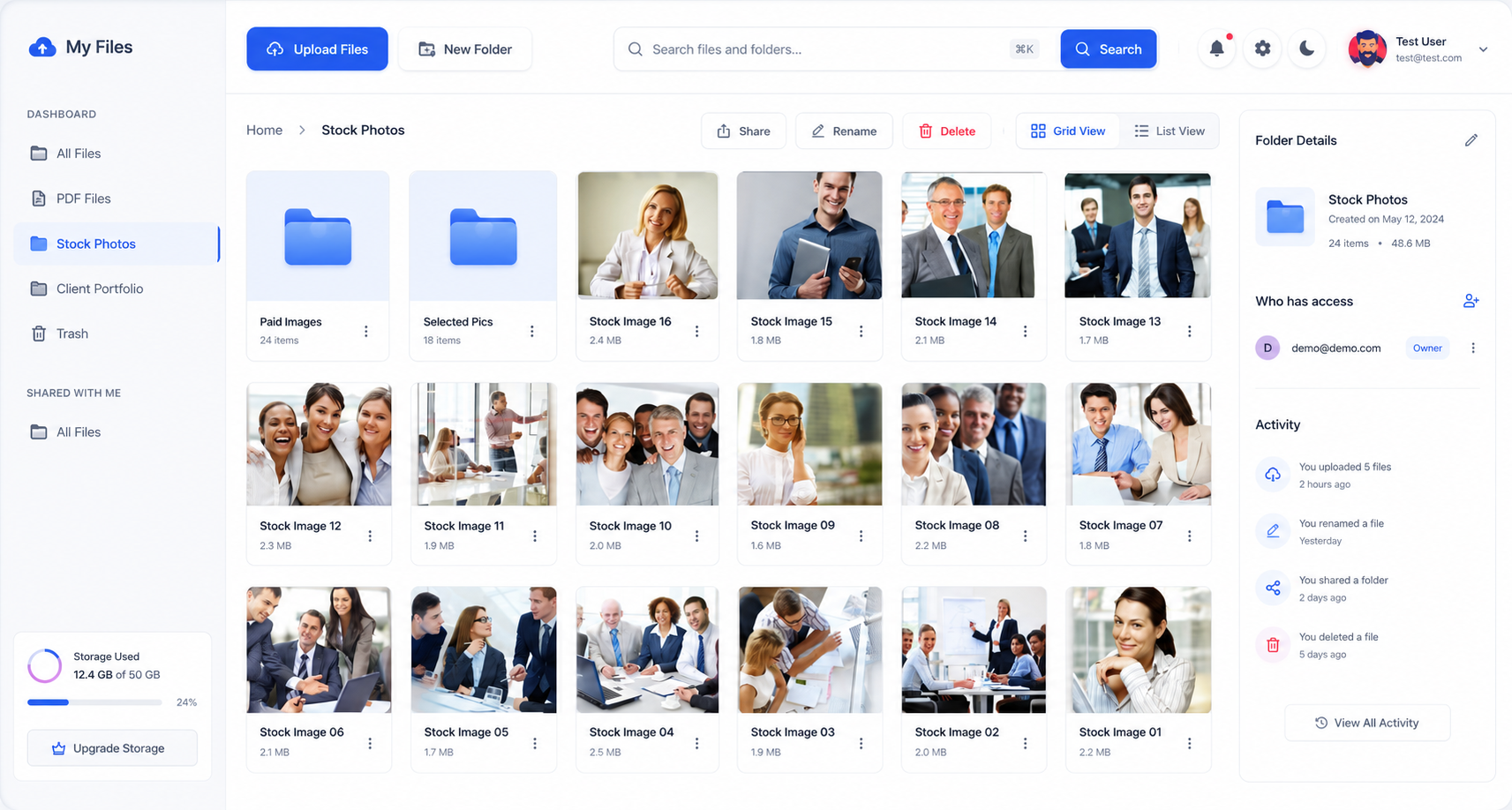
Use the User Private Files plugin to create a professional client portal inside WordPress where clients can log in, access private files, upload documents, receive notifications and manage shared resources from one place.


UPLOAD. SHARE. MANAGE. SECURELY
What Is a Client Portal
WordPress Plugin?
A client portal WordPress plugin helps you create a private area where clients can log in and access documents, files and resources related to their relationship with your business.
Instead of sending files back and forth through email or separate sharing links, you can provide clients with one consistent place to access documents, upload files, receive notifications and collaborate around shared content.
User Private Files provides the file-sharing and access-control features needed to build a client-facing portal directly within your WordPress website.
Private File Sharing
Give individual users access to files that are visible only to them.
Simple File Management
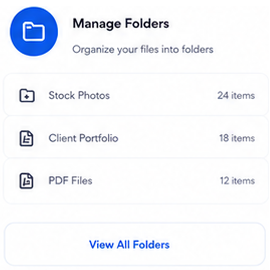
Upload, organize and manage documents directly from your WordPress dashboard.
Controlled User Access
Decide which users can access specific files and documents.
POWERFUL FEATURES
Everything You Need for a
WordPress Client Portal
Give clients a secure, organized and convenient place to access files and exchange documents with your business.
Client-Specific Files
Share files and folders with individual clients, user roles or all users.
Client Uploads
Allow clients to upload documents into folders where they have upload permission.
Access Permissions
Choose Read-Only, View and Upload or Full Access for shared content.
Client File Sharing
Create a professional way to exchange documents with clients.
Branded Portal
Customize the frontend experience with your logo, watermark and color scheme.
Frontend Dashboard
Display your document collection directly on your WordPress pages.
File Previews
Preview documents like Images, Videos, PDF, Text, Doc, PPT, Excel, ZIP file type
Powerful Search by AI
Help users quickly find documents with natural language Inputs.
HOW IT WORKS
Build a Client Portal in 3 Simple Steps
Create the portal experience, share client resources and let users manage their documents.
01
Set Up the Portal
Create a new WordPress page (e.g., yoursite.com/client-portal) and paste User Private File shortcode.
02
Upload & Assign
Upload documents directly to your WordPress site and assign them to your client's user account.
03
Clients Log In
Your client logs into the frontend page and securely accesses only their designated files based on their permissions.
USE CASES
WordPress Client Portals for
Different Businesses
Create a client portal tailored to the way your business works with customers and clients.
Service Businesses
Give customers access to forms, files, project information and account resources.
Law Firms
Share case documents, forms, agreements and client resources.
Accountants & CA Firms
Exchange tax documents, reports, invoices and financial resources.
Property Management
Provide owners and tenants with leases, reports and property documents.
Agencies
Give clients one place for deliverables, assets, reports and project files.
Membership Websites
Create private areas with member resources and downloadable content.
Consultants
Share plans, recommendations, reports and client-specific resources.
B2B Companies
Create partner and customer portals for shared documents and resources.
Create Your Own WordPress Client Portal
WHY USER PRIVATE FILES
What Can You Put Inside a
WordPress Client Portal?
A client portal can contain contracts, reports, statements, invoices, forms, project documents, training materials, property records and other client-specific resources.
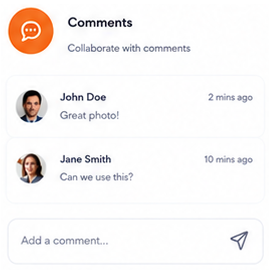
You can also use the portal for two-way document exchange. Clients can upload documents into shared folders, while your team can upload files back to the client. Comments and notifications can help keep important file-related conversations and updates in one place.
Because User Private Files supports sharing with individual users and roles, you can create different client experiences without exposing every file to every customer.
Built for WordPress
Works directly within your existing WordPress website.
Private by Design
Files can be assigned to specific users instead of being publicly accessible.
Easy for Users
Give customers and clients a simple, familiar way to access their files.
Flexible for Businesses
Use it for client portals, document delivery, internal file sharing and more.
Loved by Brands



















Trusted by Developers
Highly Recommended by Site Owners & WordPress Developers
Simple, clean and functional plugin. Minimal and complete design. Developers always attentive to requests and suggestions.
semplicewebsite
I was searching for a simple solution to allow my site users to share files with each other and this plugin has worked well. Thanks to the dev for the support too.
NexusDevs
This plugin is superb. Great dropbox system directly as a Frontend File Manager. You should use directly the pro version and this is not expensive.
ADB_Lawyers
Best WordPress File Sharing Plugin that i Intergated with BuddyPress and work like a charm. It does the promised job. This is an amazing plugin.
davidparker
Awesome functionality, Easy to use and good looking UI and the support. I have dealt with many different software programs, plugins, support teams and so on through my work and these guys are absolutely superb.
gally06
I use this plugin for a social Organisation. I am very happy to share files depending on user roles. This is our modern and customizable cloud and we love to work with this! Thanks also for the great Support!
torbenmatuschek
I've been looking for a plugin like this for a while, and have been delighted with it so far. It's really easy to use, which is perfect for some of my less tech-savvy website users! New updates always amaze us.
revcoincidence
Your plugin has enhanced the functionality of my WordPress site and allowed me to improve my website even more. I was impressed by the simplicity of the installation and the user-friendliness of the plugin.
-stefan01220
FAQ
Frequently Asked Questions
What is a client portal WordPress plugin?
A client portal WordPress plugin helps you create a private area where clients can log in and access documents, files, uploads, notifications and other client-specific resources.
How do I create a client portal in WordPress?
You can create a client portal by installing User Private Files WordPress plugin that provides user access, private files and frontend account functionality, then configuring the pages and permissions for your clients. Upload your files, organize them into logical groups and publish your own Client Portal. Read More...
Can clients access their own files in a WordPress client portal?
Yes. User Private Files lets you share files and folders with individual users or user roles so clients can access the content intended for them.
Can clients upload documents through the portal?
Yes. Clients can be given View and Upload permission for shared folders so they can upload files without receiving broader management permissions.
Can I control what each client can do?
Yes. User Private Files provides Read-Only, View and Upload and Full Access permission levels for shared files and folders. Read More about Sharing and Access Levels.
Can clients receive notifications when new files are shared?
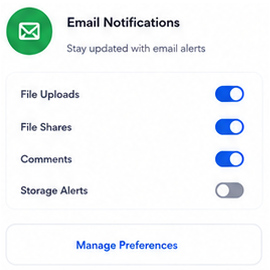
Yes. User Private Files supports frontend and email notifications when files or folders are shared, as well as notifications for new uploads or folders created inside shared folders.
Can clients comment on files?
Yes. Users can comment on files, making it easier to keep discussions connected to the relevant document.
What types of Files can be uploaded to Client Portal?
These file types can be uploaded (As allowed by WordPress):
+ Image (png, jpg, jpeg, gif, webp, heic, heif)
+ Documents (pdf, doc, docx, xls, xlsx, key, odt, xml, csv)
+ Audio (mp3, ogg, wav)
+ Video (mp4, m4v, mpeg-4, mov, vtt, avi, ogv, wmv, 3gp, 3g2)
Additional File Extensions Support:
+ Compressed (zip, jar) if ZIP feature enabled.
+ Any Custom extensions (ppt, pptx, pps, ppsx, txt, svg, csv, psd, php, exe, bin, sh, bz, dtd, dwg, epub, etc) - Enable from "Allowed File Types" feature.
Can I create a branded client portal on my own domain?
Yes. User Private Files can be embedded into your WordPress website and supports branding options such as your logo, watermark and frontend color customization.
Can I (admin) manage files and folders from the WordPress dashboard?
Yes. Administrators can manage uploaded files, folders, users, and shared documents from within WordPress. This allows you to maintain your private file-sharing system without requiring a separate file management platform.
Can I use a client portal for law firms, accountants or property managers?
Yes. A client portal can be useful for professional services and property businesses that exchange documents with individual clients, owners or tenants.
Start Uploading with
User Private Files PRO
Everything you need to manage your private files online with WordPress